
Spin-up
Gun Tower Level 2 gets two rotary guns, Level 3 gets four, and in Unreal Engine every barrel learns to spin. By evening the cannons and the guns stand as two full families. The next morning, a seventh tower: the first freeze tower.
01 Two guns
Autodesk Maya · Adobe Substance 3D Painter · Unreal Engine 5.8
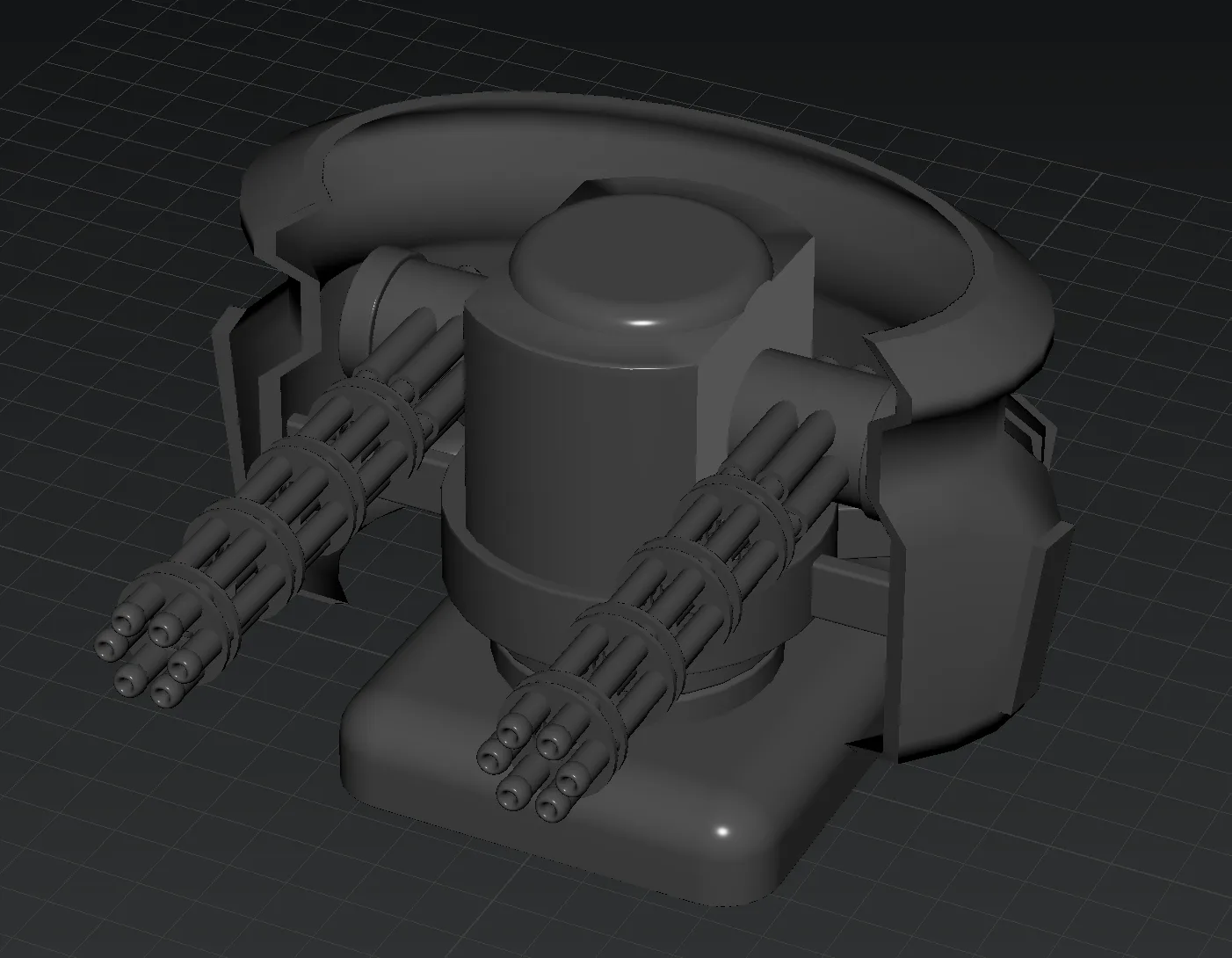
Level 2 of the gun tower doubles up: a rotary gun on each side of the drum, under a curved guard.
01
Two guns
Level 2 in Autodesk Maya: the drum turret from Level 1, now with a six-barrel gun on each side, a curved guard wrapped around the back and a rounded footing.
02
Nearly all blue
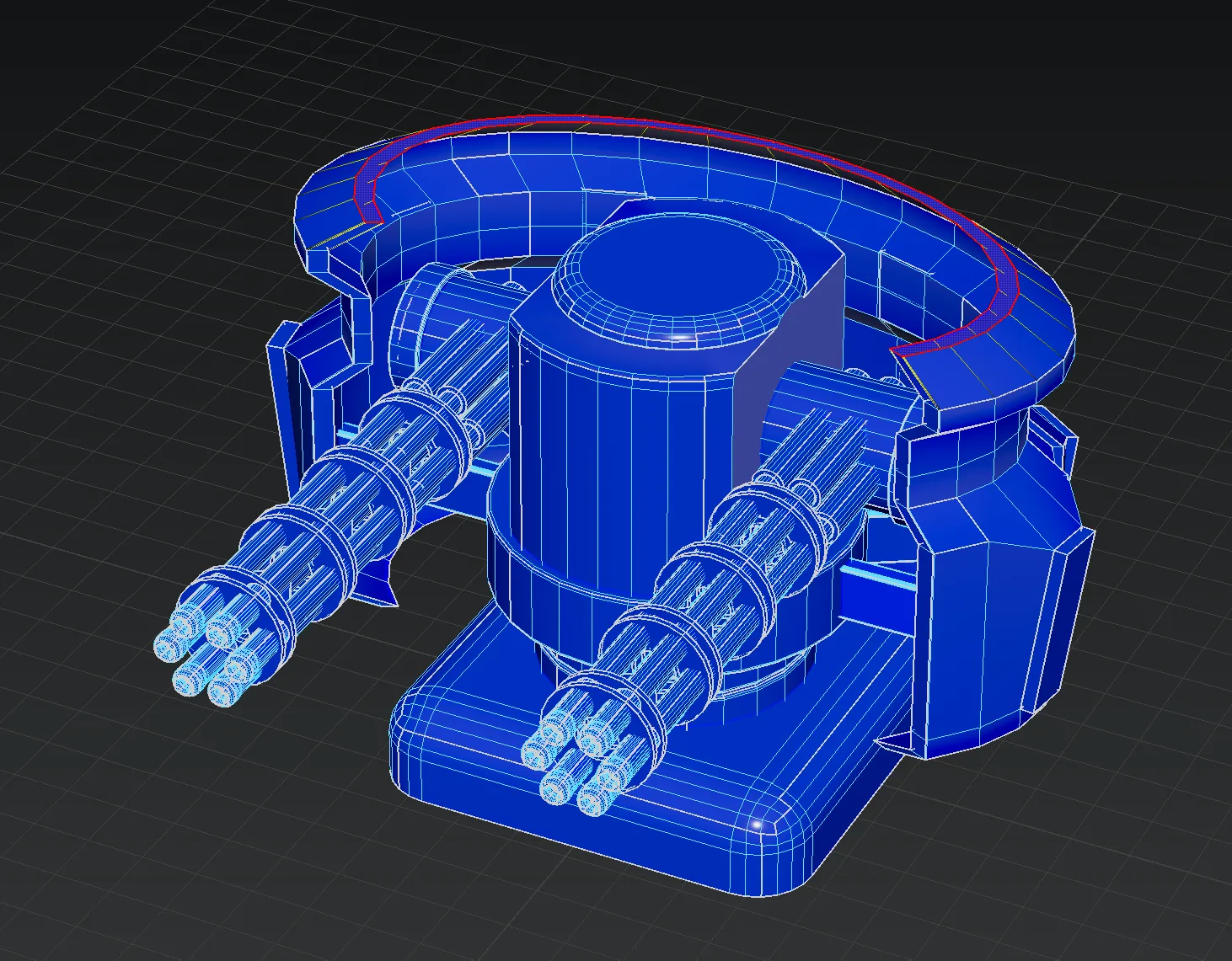
The UV check from Chapter 3 again: blue for every shell that faces the right way, red for one that's flipped. Two minutes after the first look, the new tower comes up nearly all blue.
03
Yellow first
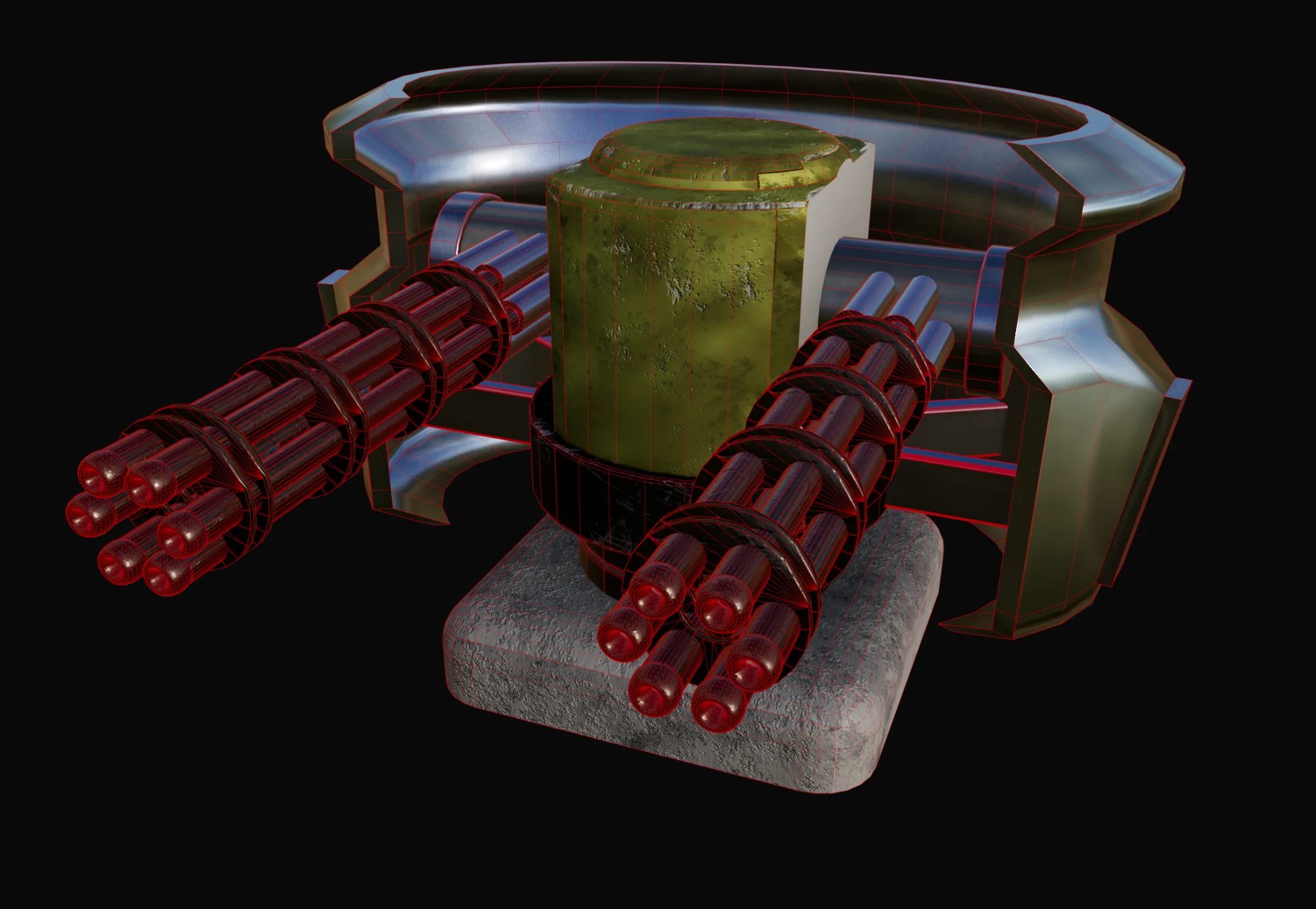
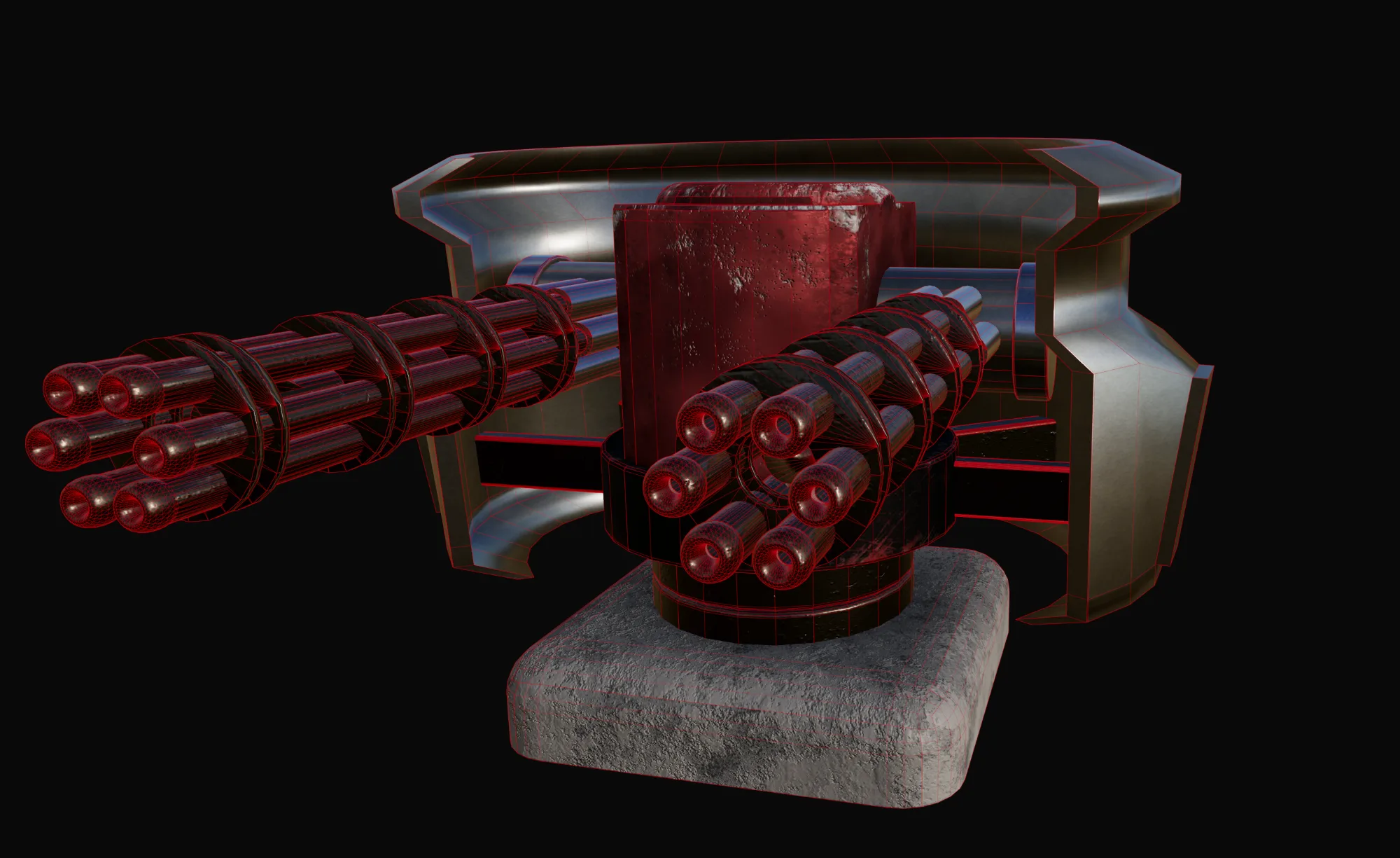
Twenty minutes later it's in Adobe Substance 3D Painter: a mustard-yellow drum, a polished steel guard, a concrete footing. The red lines are Substance 3D Painter's wireframe, not paint.
04
Then red
By 1:37 AM the drum is red, the colour every tower uses for Level 3. Four minutes later the first Level 3 scene is saved in Maya, almost byte for byte a copy of Level 2.
05
Nine parts and a Blueprint
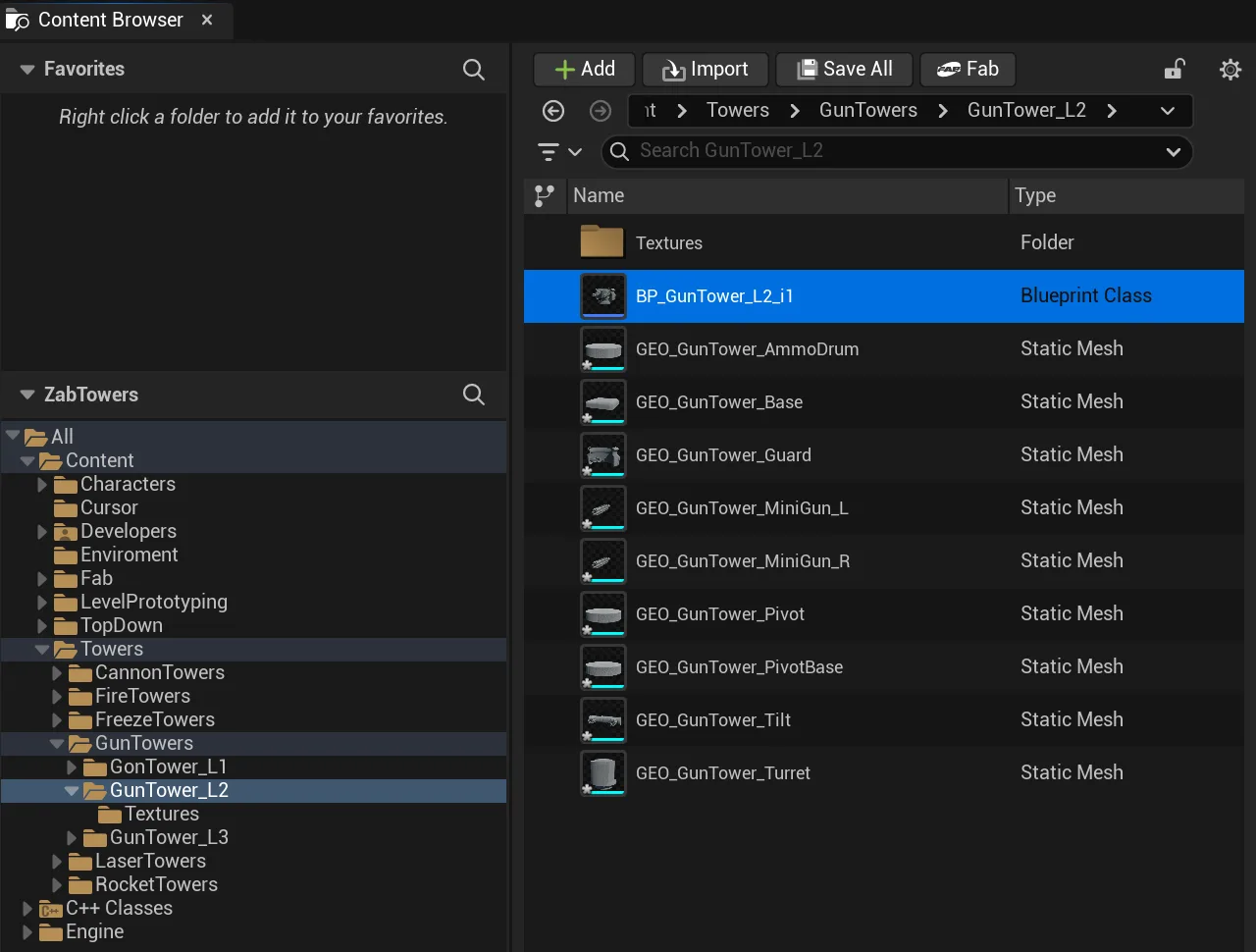
In Unreal Engine, Level 2 gets its own folder: nine parts (base, pivot base, pivot, turret, ammo drum, guard, tilt and a gun for each side) and a Blueprint, BP_GunTower_L2_i1, to put them together.
The folder tree is already waiting for the rest: cannon, fire, freeze, gun, laser and rocket towers.
06
Grey, in pieces
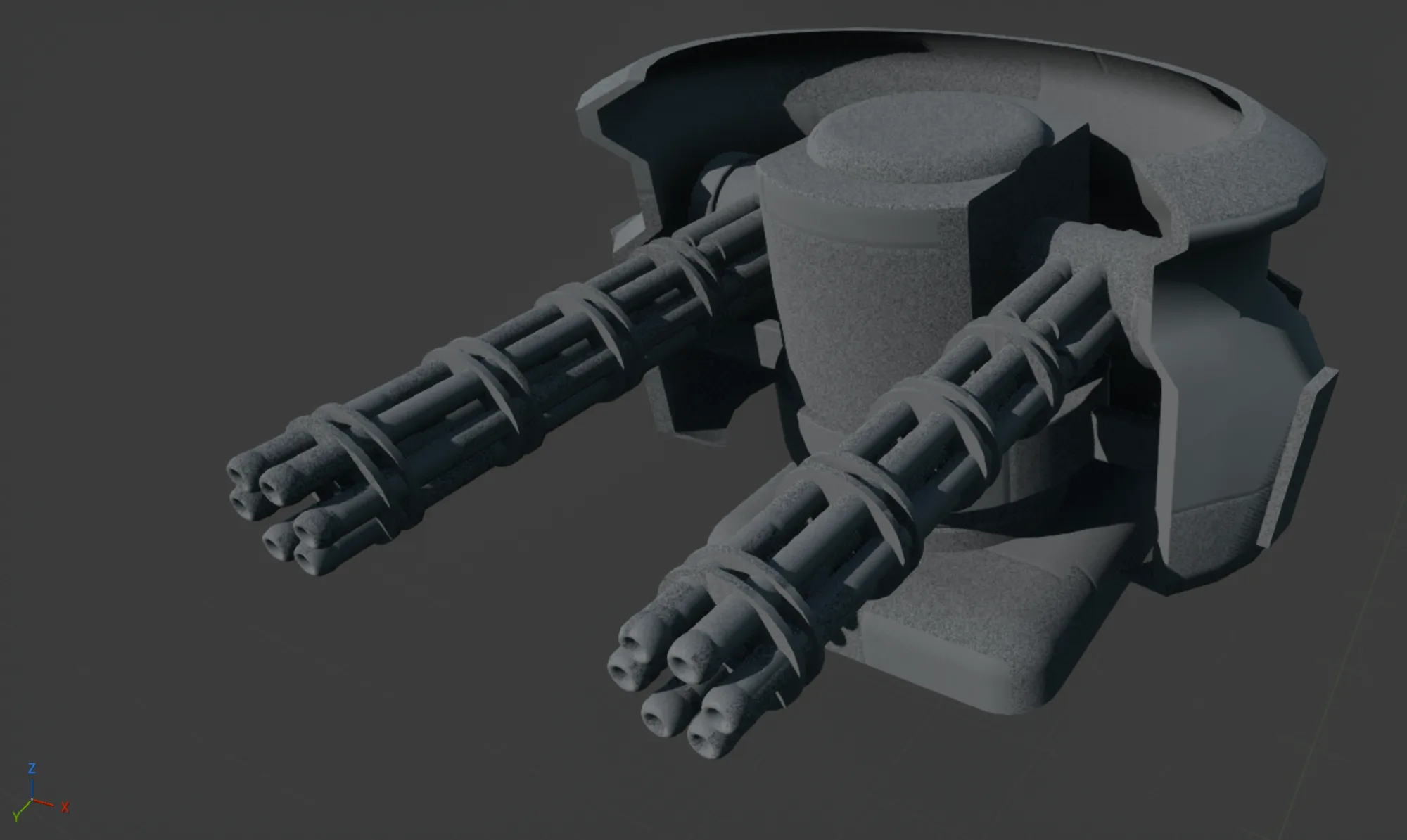
Level 2 in the engine before its textures. It comes in as separate parts rather than one solid model, so the turret can turn, the guns can tilt, and each gun can spin on its own.
02 Built to spin
Unreal Engine 5.8
Every moving part gets a pivot of its own, and the cannons are rebuilt the same way, so every tower can be driven alike.
07
A spin for each gun
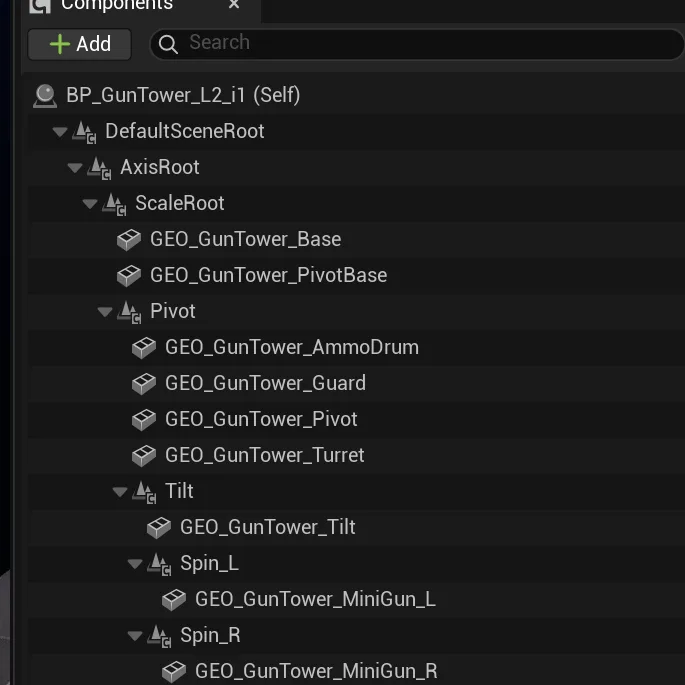
Level 2's Blueprint as a tree. Under the root sit AxisRoot and ScaleRoot, then the turret's Pivot, then the Tilt, and under the tilt Spin_L and Spin_R, each holding one gun.
At 2:21 AM the spins were already there, but not AxisRoot or ScaleRoot, the size handle from Chapter 3.
08
The cannons, rebuilt
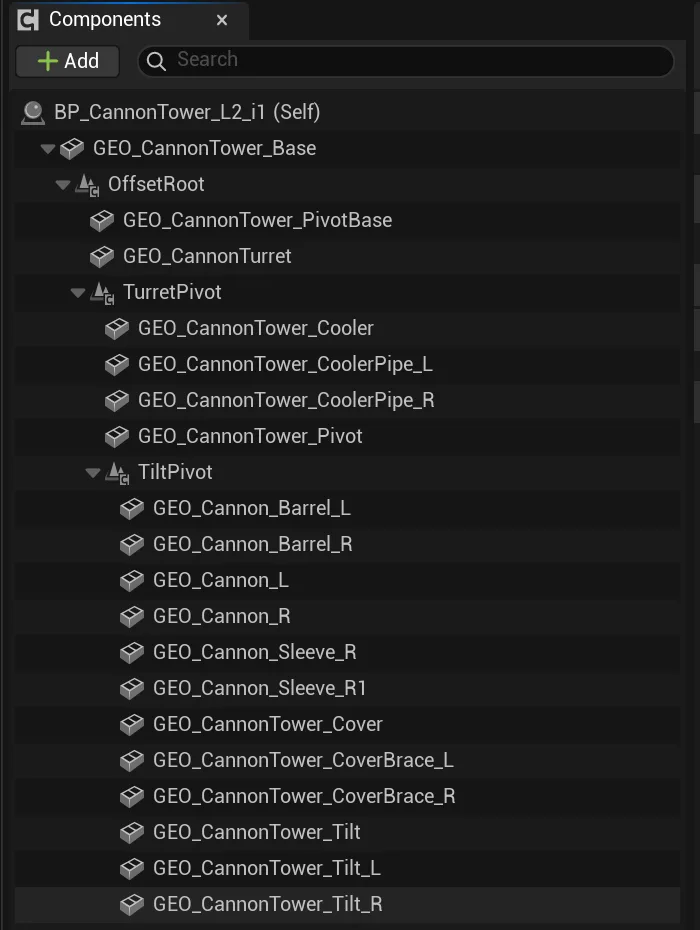
New Blueprints for all three cannons are saved between 5:00 and 7:01 AM, each with the same kind of tree: an OffsetRoot, a TurretPivot that turns, and inside it a TiltPivot that tilts.
Everything that aims rides on the tilt: barrels, sleeves, the cover and its braces.
09
Overhead
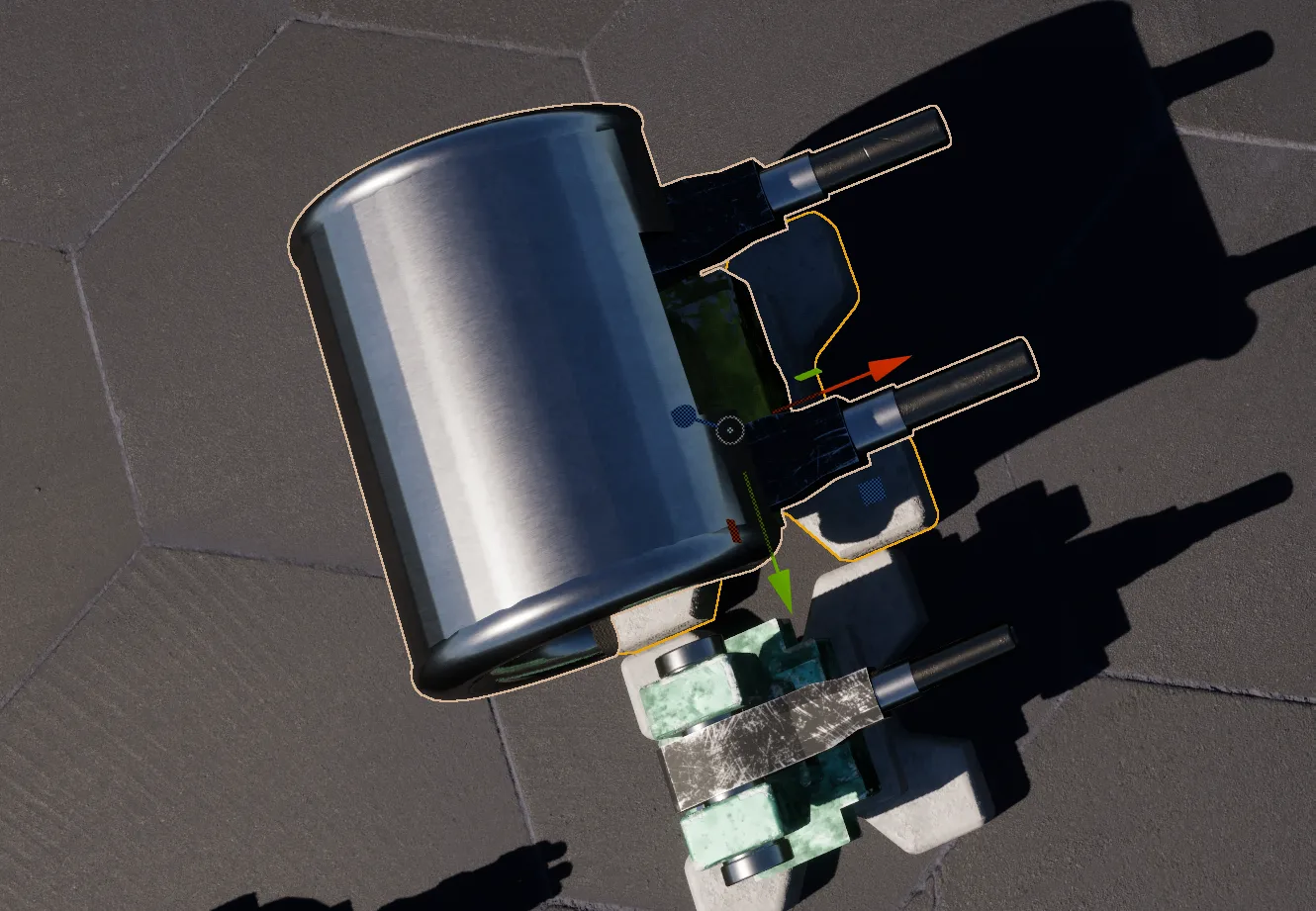
A rebuilt cannon from straight above, its polished hood catching the sun, with the green Level 1 below it. Hood, barrels and shadow all have to read from up here.
10
Three textures
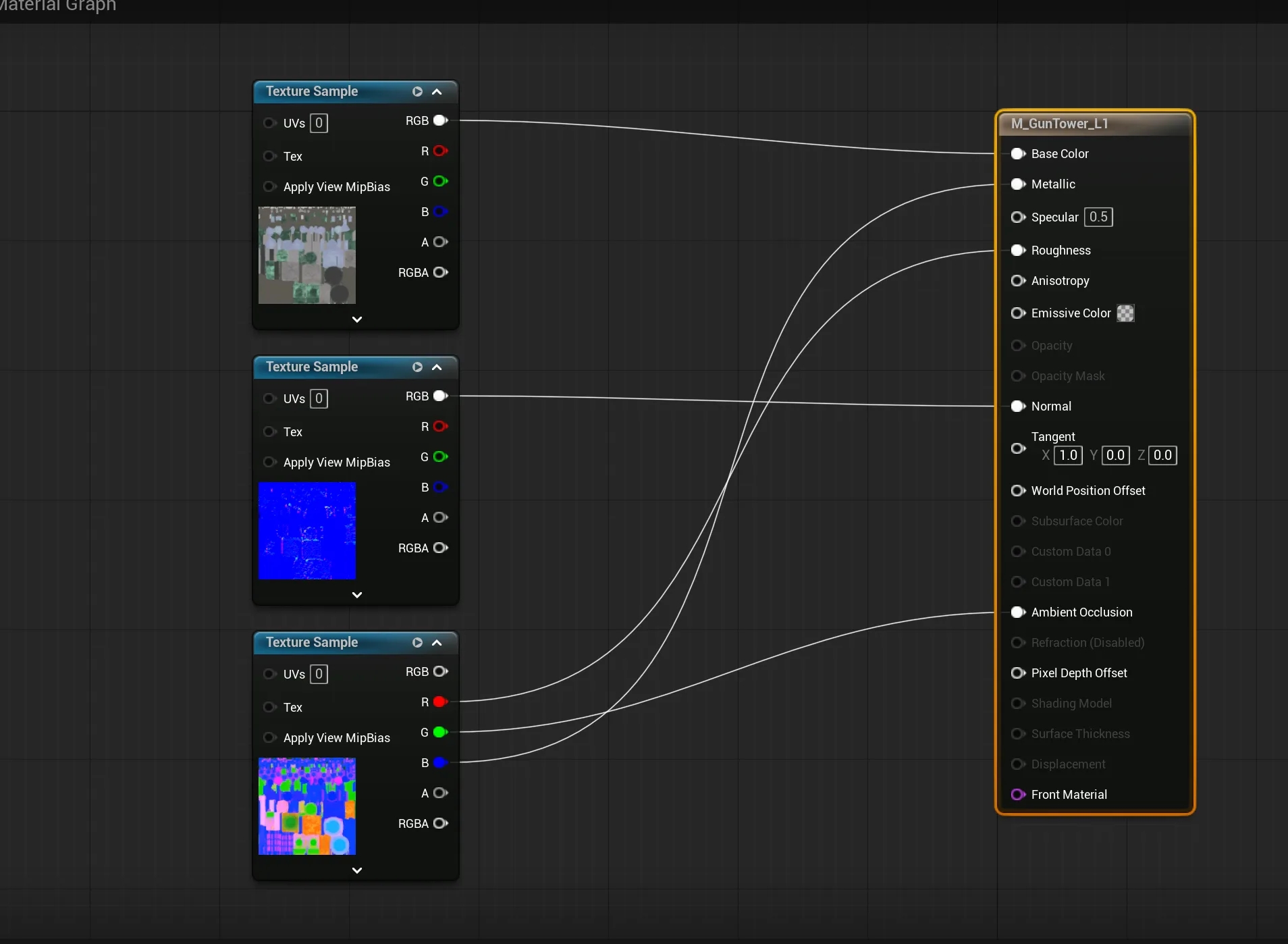
Gun Tower Level 1's material: three textures from Substance 3D Painter. The colour map goes to Base Color, the blue normal map to Normal, and one packed map splits its red, green and blue channels between Metallic, Roughness and Ambient Occlusion.
Three greyscale maps in one image means one texture to load instead of three.
03 Yellow
Unreal Engine 5.8 · Adobe Substance 3D Painter
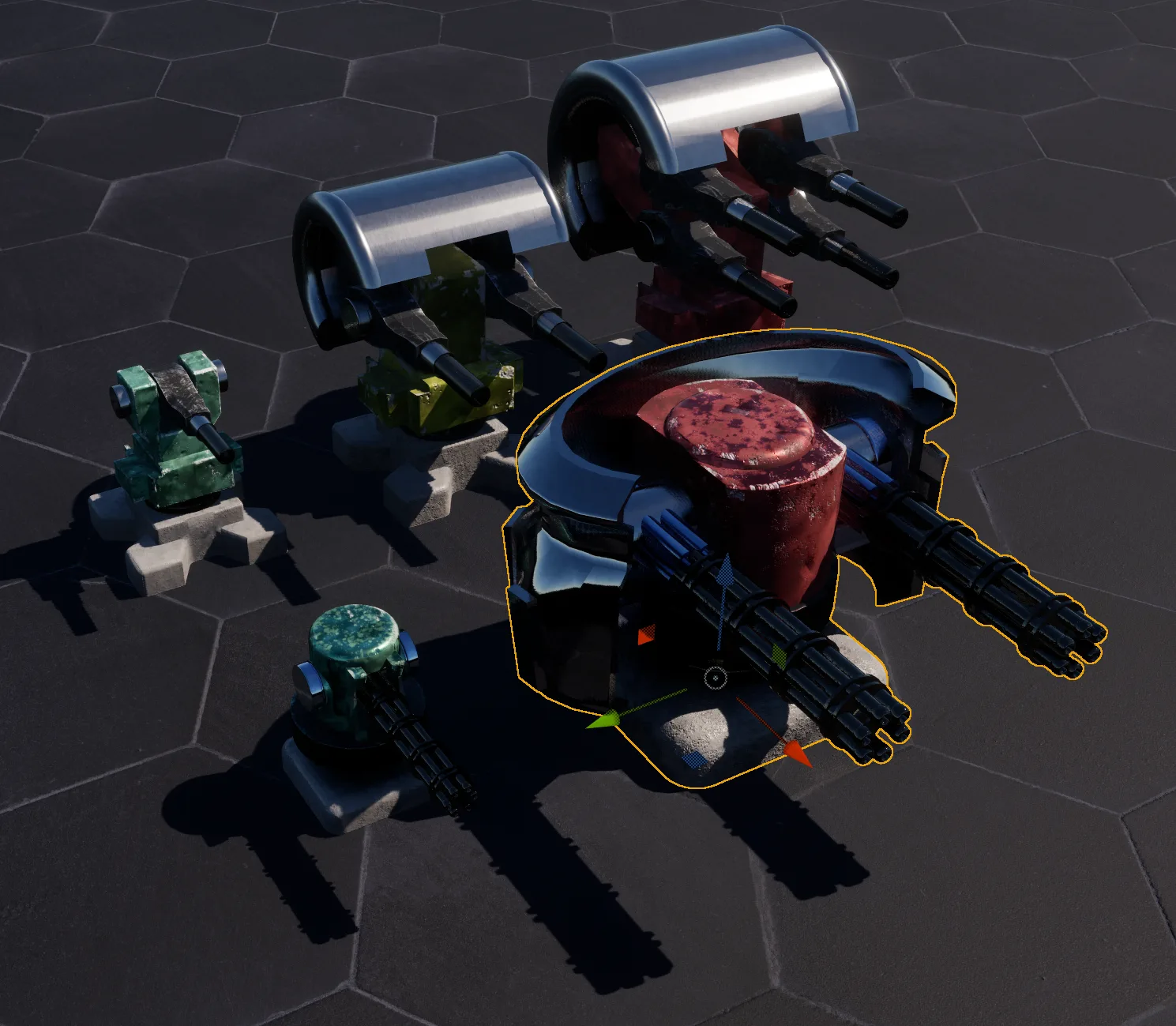
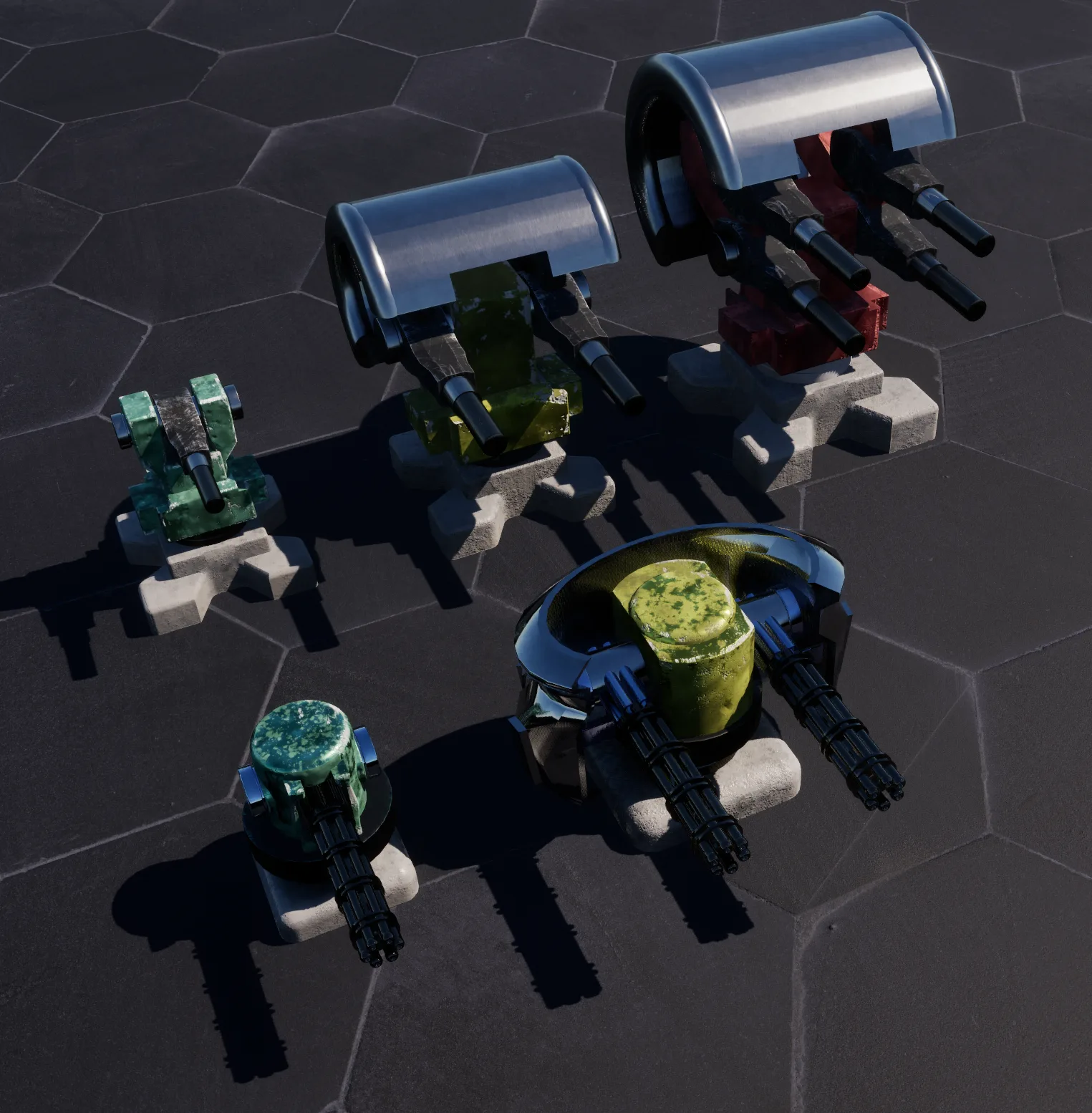
The colour code says Level 2 is yellow. At noon, the twin gun is still red.
11
Red on the floor
Level 2 on the hex floor for the first time, in front of the cannon family and the green Gun Level 1. Its drum is red, the colour of a Level 3.
12
Yellow
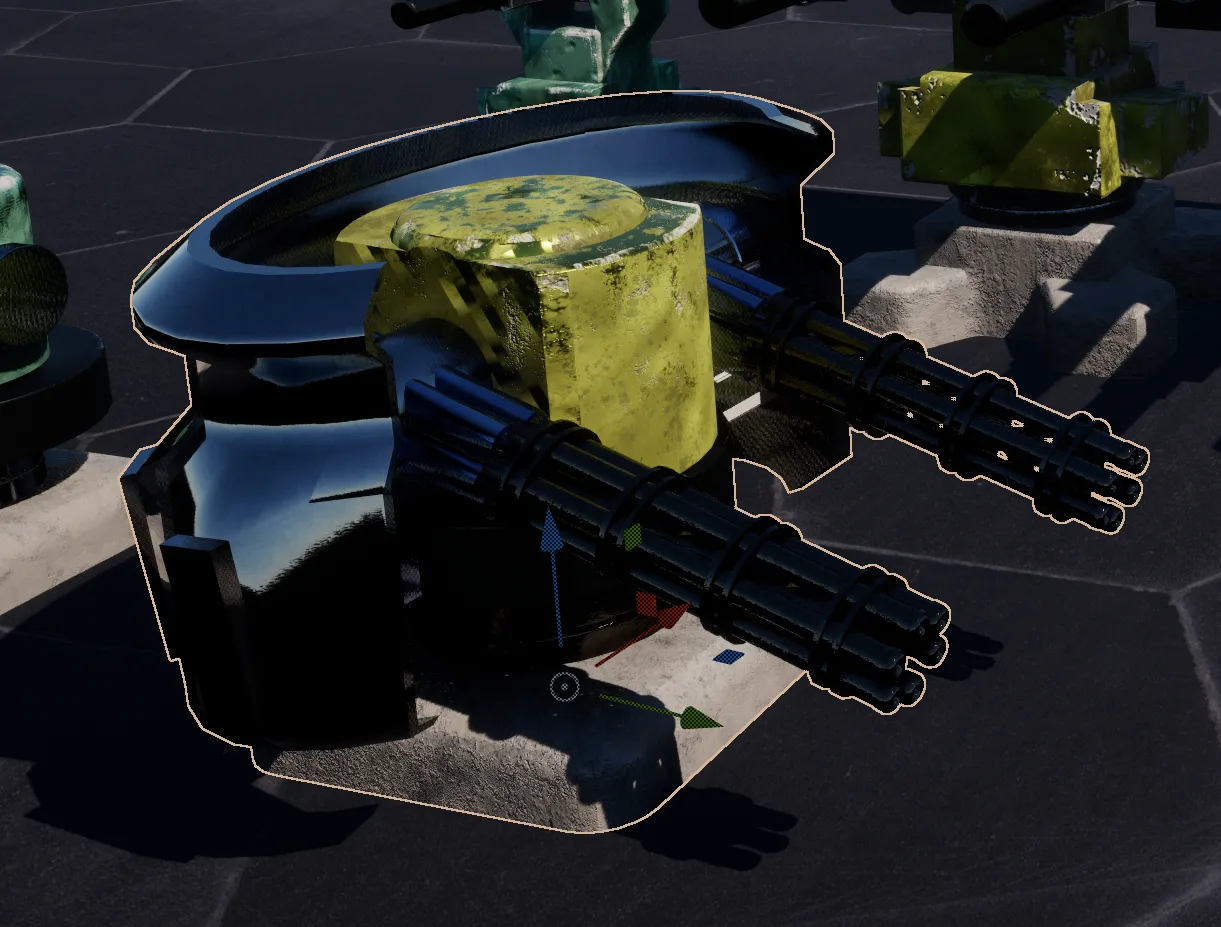
Eight minutes later it's yellow. The file dates show how: new Level 2 textures exported from Substance 3D Painter at 12:15 PM and brought into the engine.
In the same few minutes Cannon Level 3 gets fresh textures too, exported at 12:19.
13
Mustard, like its cannon
Up close, the yellow is the same worn mustard-olive as Cannon Level 2, between polished steel and black barrels.
04 Four guns
Autodesk Maya · Adobe Substance 3D Painter · Unreal Engine 5.8
Level 3 stacks a second pair of guns on the first. Then all four have to spin.
14
Barrels, close up
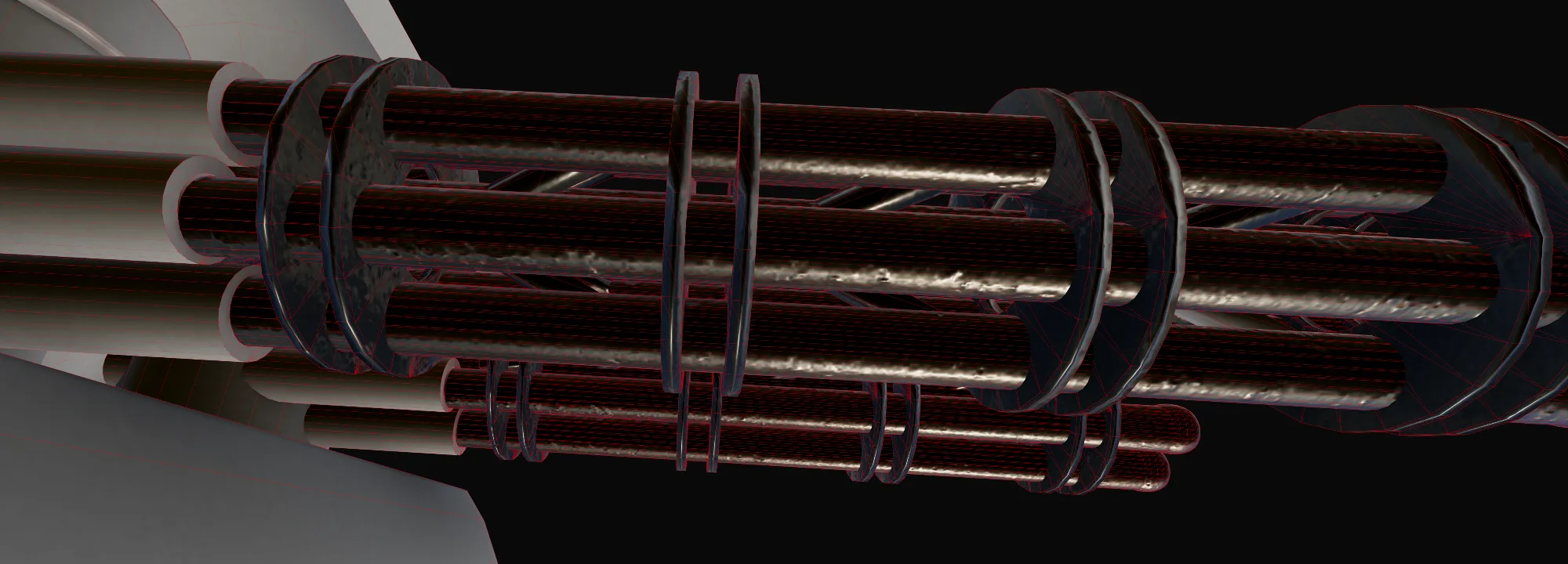
Seven minutes after Level 3 leaves Maya, its guns are in Substance 3D Painter: six barrels, collars in pairs, and bright wear along the top of each barrel.
15
Upper and lower
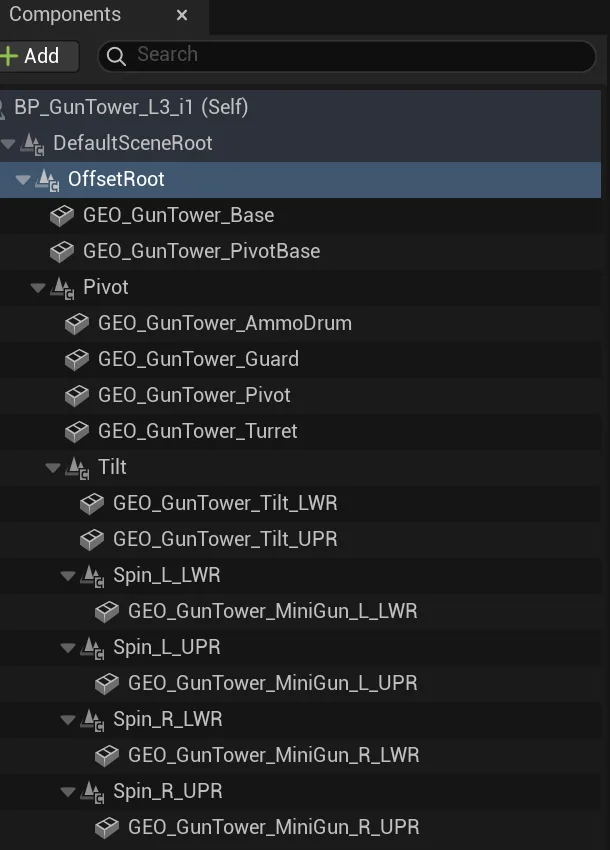
Level 3's Blueprint. Like the rebuilt cannons, it hangs everything from an OffsetRoot. Under the tilt there are two tilt parts, upper and lower, and four spins: left and right, upper and lower, each holding one gun.
16
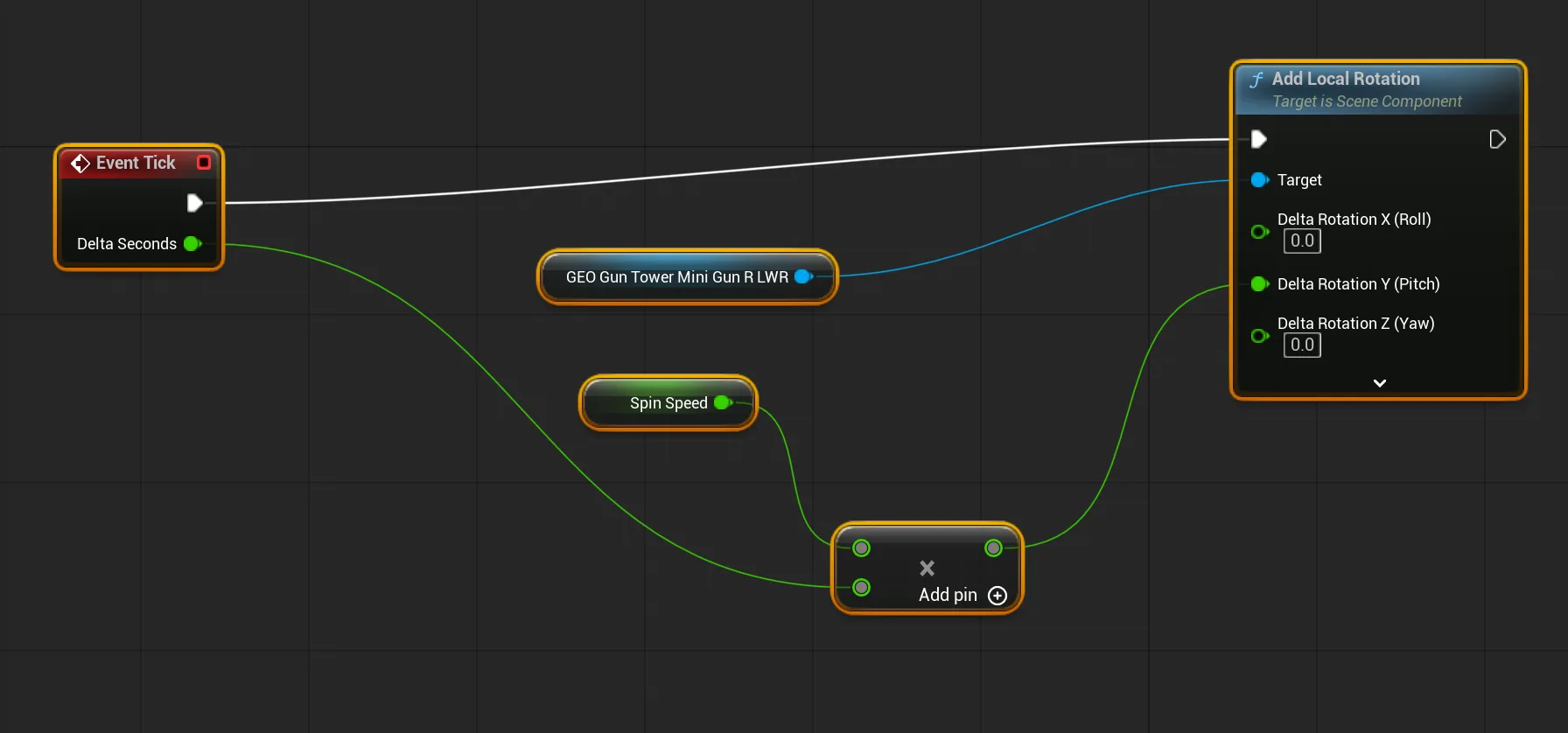
The spin
The first spin, in Blueprint. On every frame (Event Tick), Add Local Rotation turns a gun around its own axis by Spin Speed × Delta Seconds.
Delta Seconds is the time since the last frame, so multiplying by it keeps the spin the same speed however fast the game runs.
17
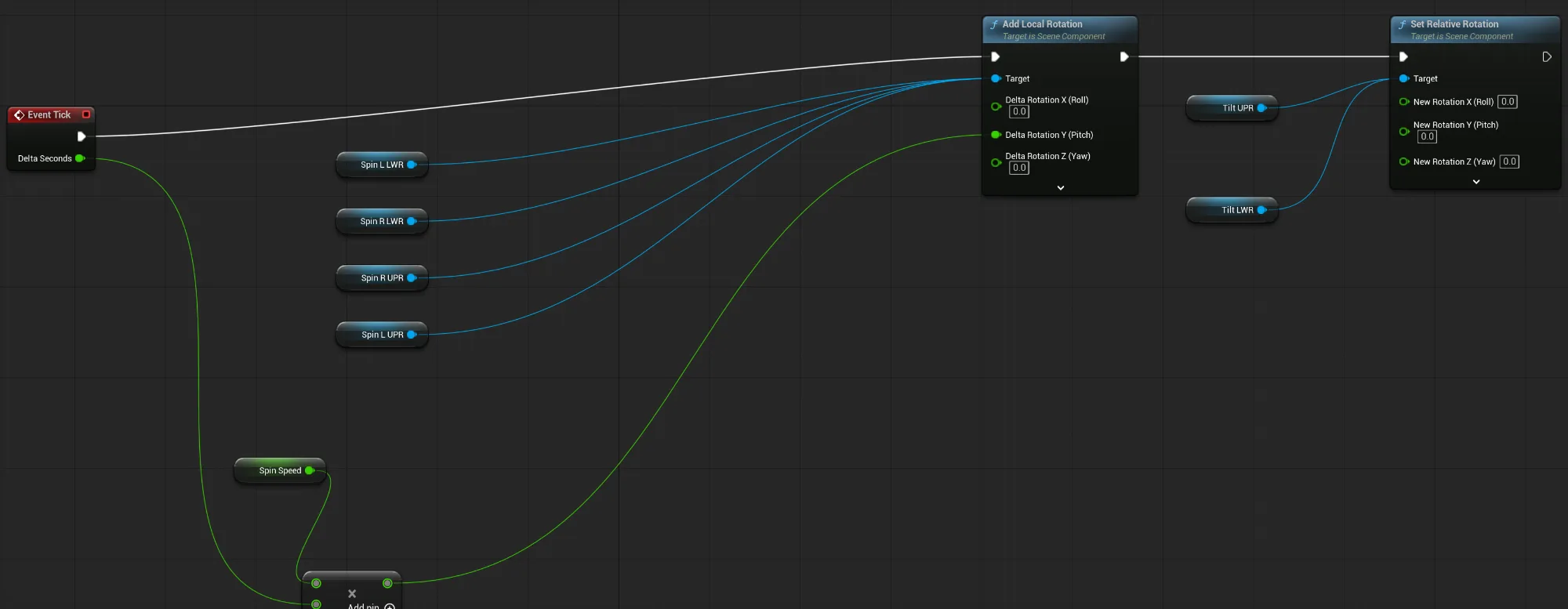
All four at once
By 5:45 PM one Add Local Rotation node turns all four spins at once, and a Set Relative Rotation after it holds both tilt parts level.
18
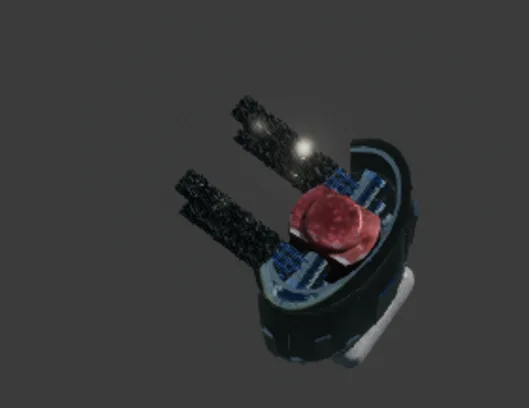
A blur
In motion: the barrels on the red Level 3 spin fast enough to smear into a dark blur, with glints of light caught in it.
19
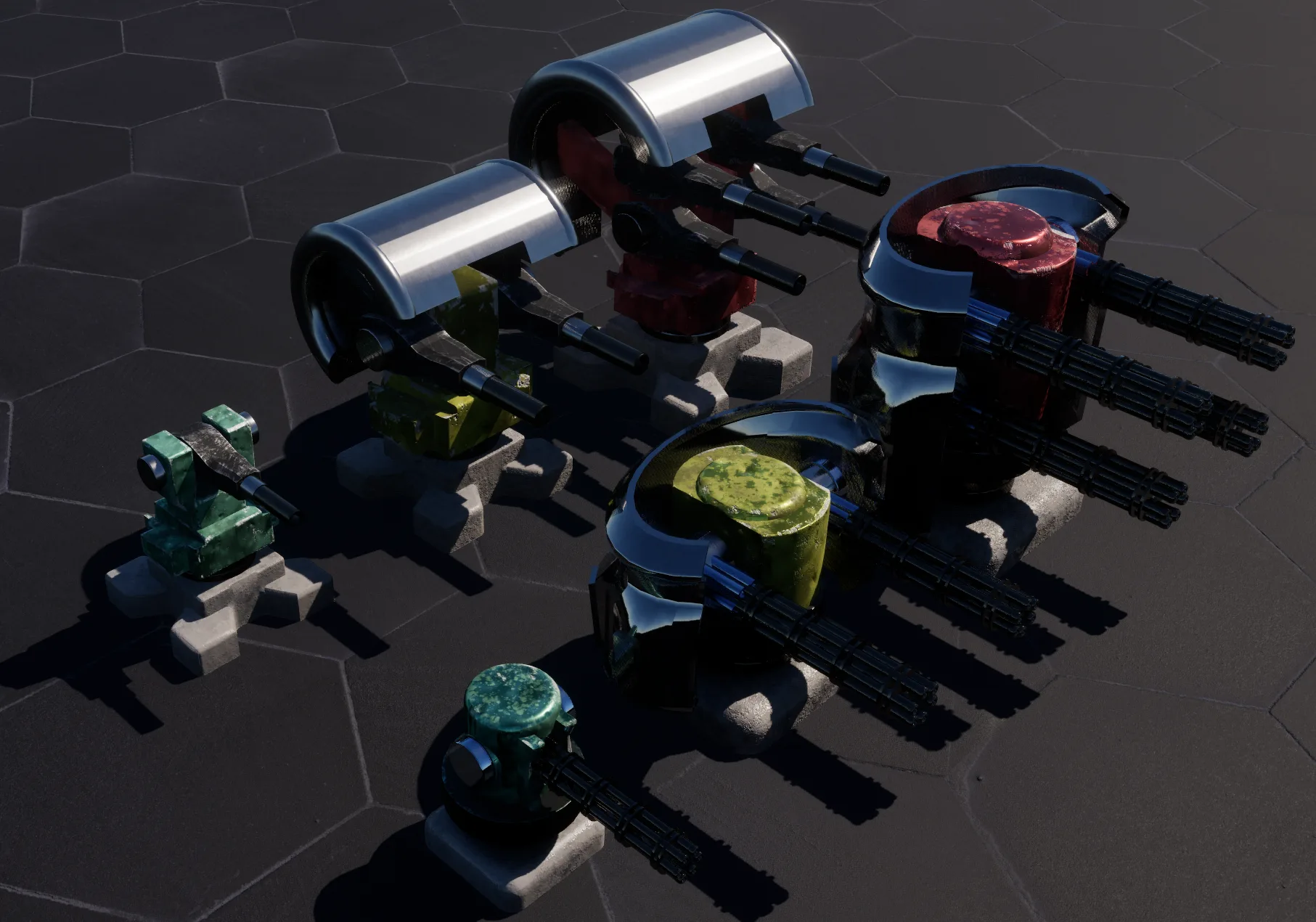
Two families
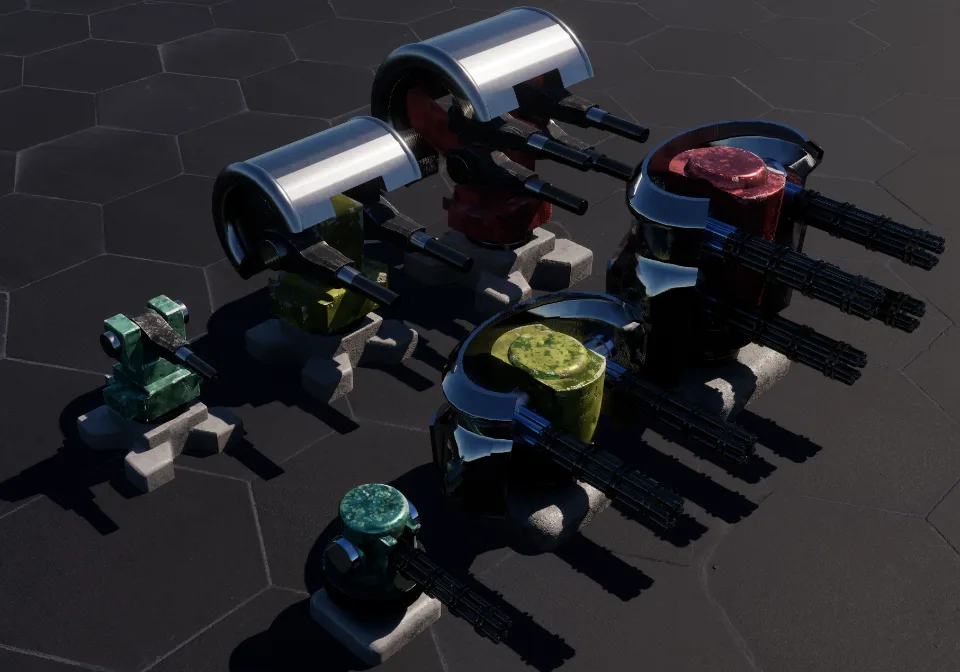
Cannons behind, guns in front, each family green, yellow and red. One barrel, two and four for the cannons; one gun, two and four for the guns.
Six of the eighteen tower levels the design calls for, on the hex floor together.
05 Freeze
Autodesk Maya · Adobe Substance 3D Painter · Unreal Engine 5.8
The next morning, a new tower type. The freeze tower seizes robot joints, and its first level is green, like every Level 1.
-
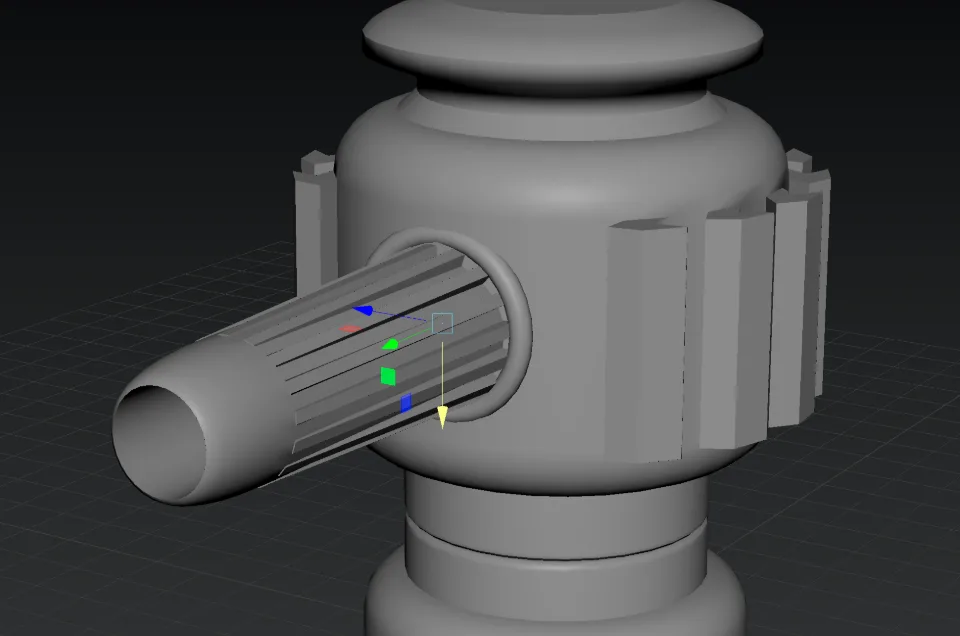
20
A new shape
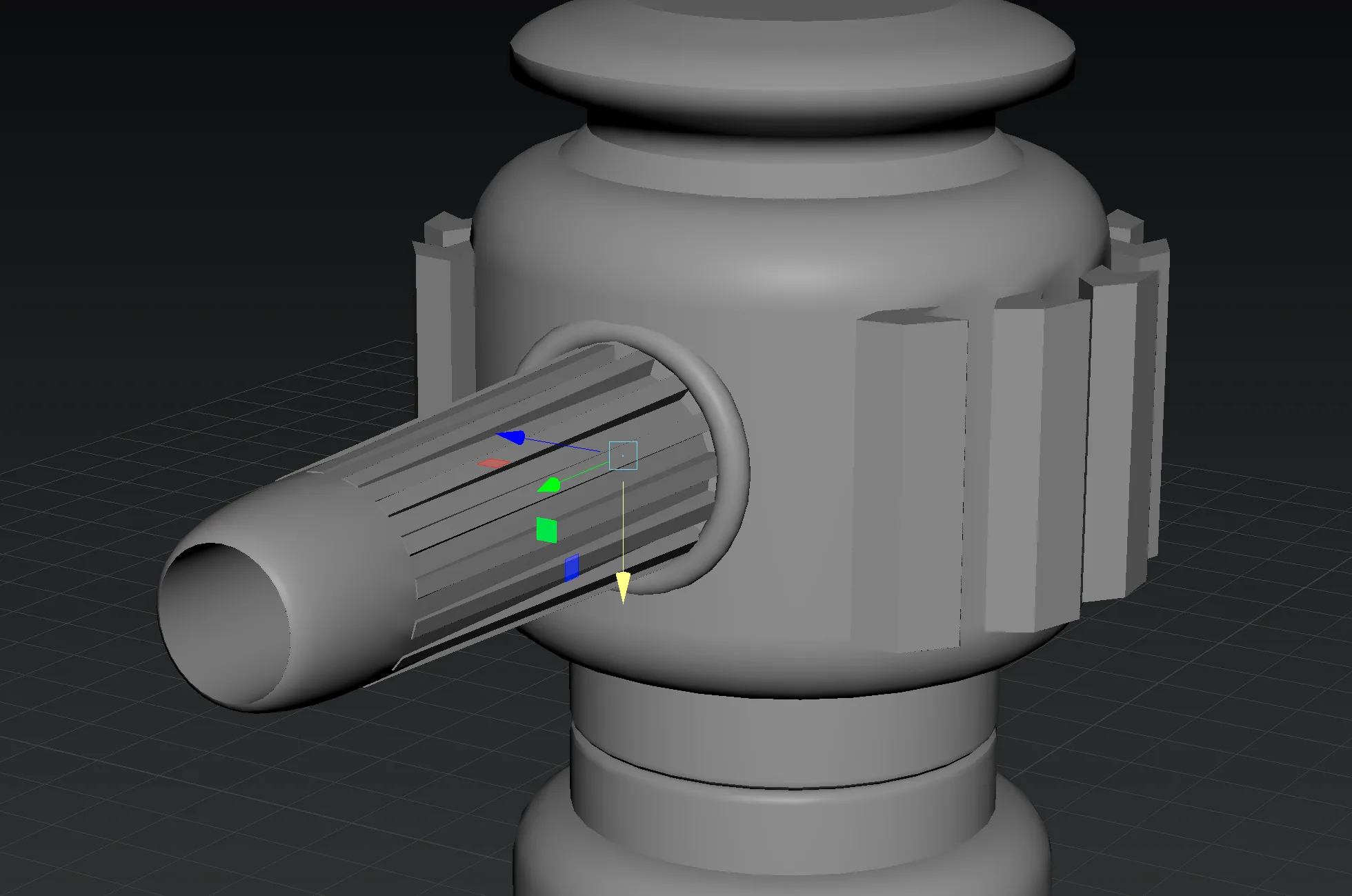
Freeze Tower Level 1 in Maya: a rounded body on a stepped column, a flared cap, fins around the side and one fluted barrel ending in a wide nozzle.
-
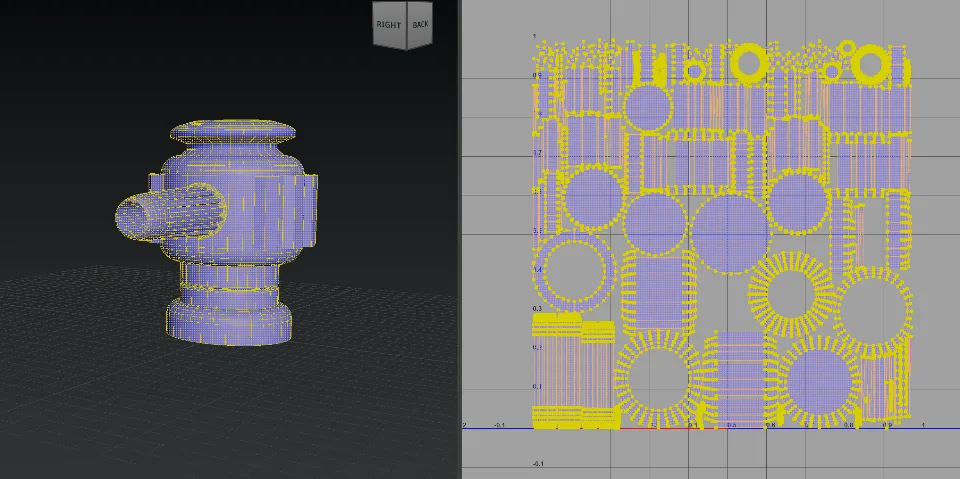
21
Unwrapped
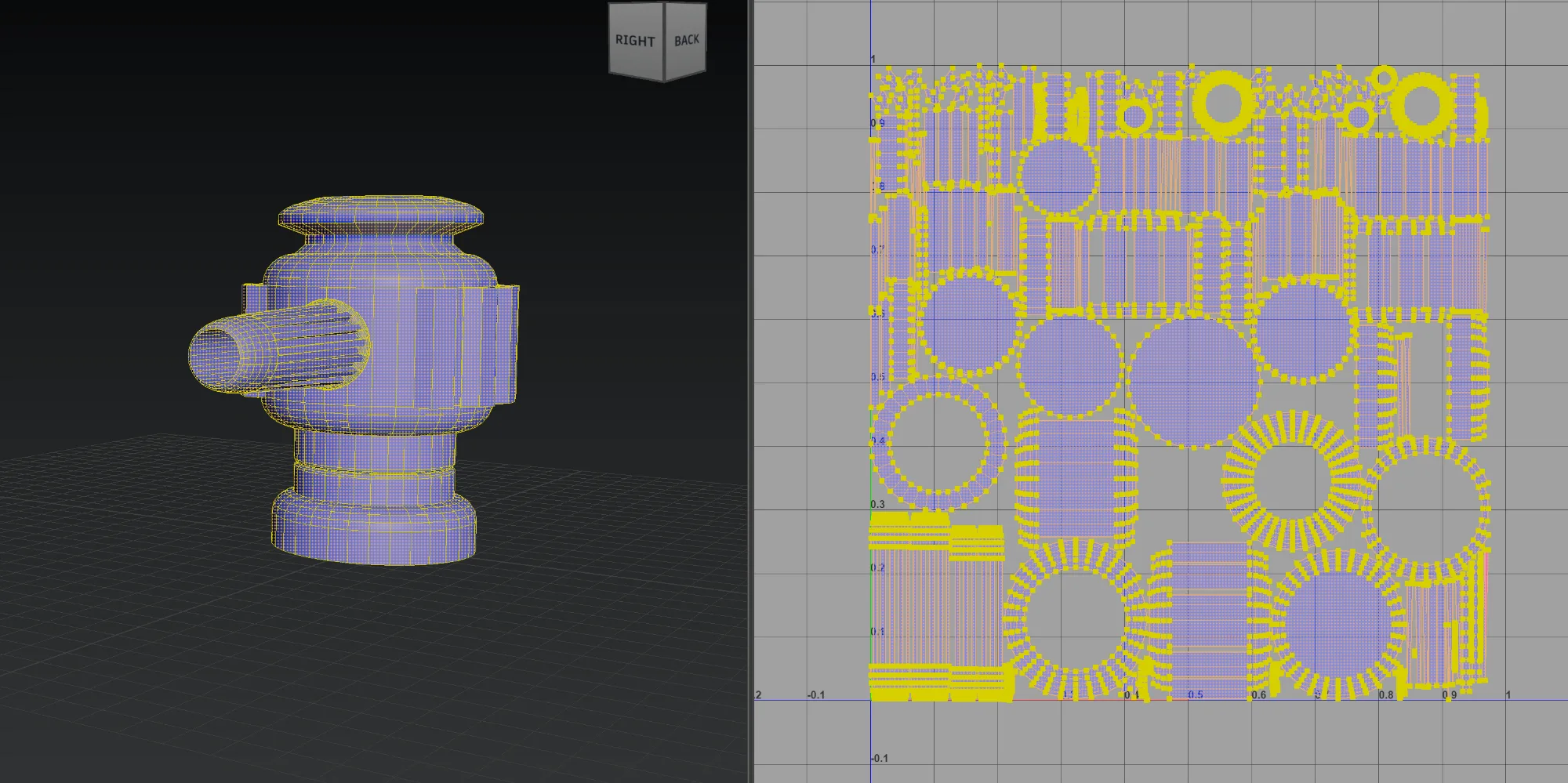
Its UV layout: every part flattened and packed into one square, ready to paint. Five minutes later the model is exported from Maya.
-
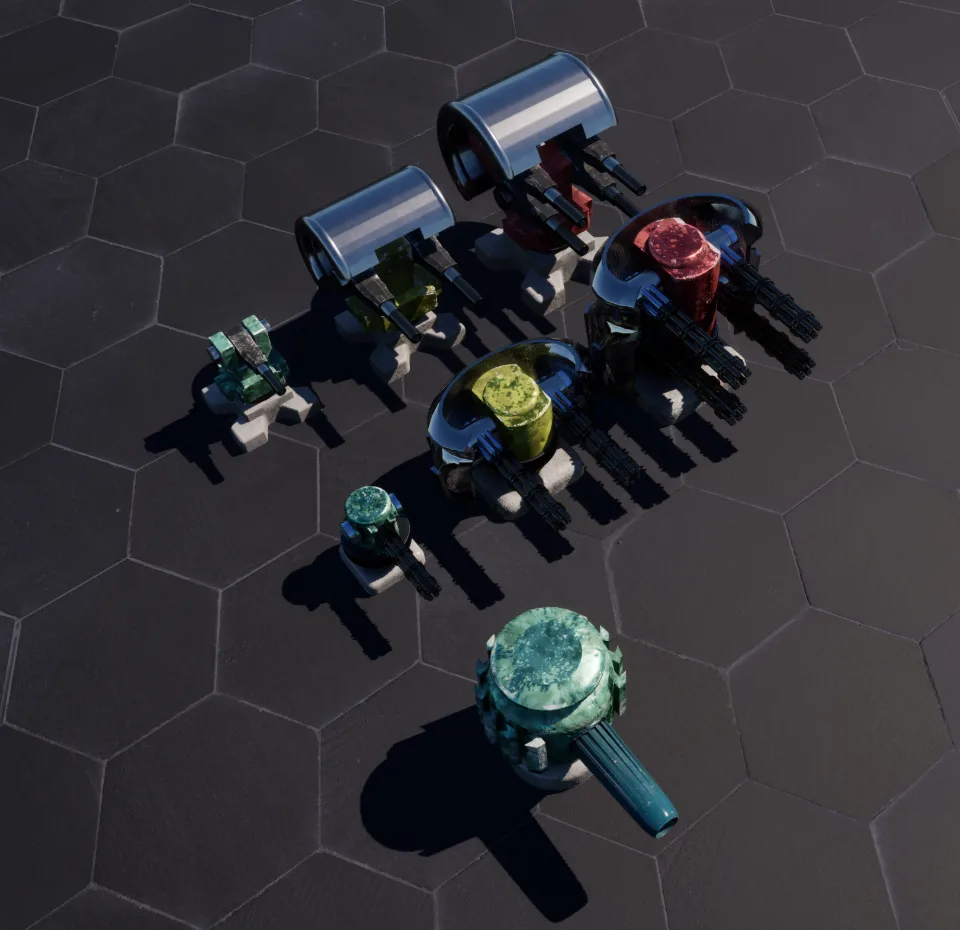
22
Seven towers
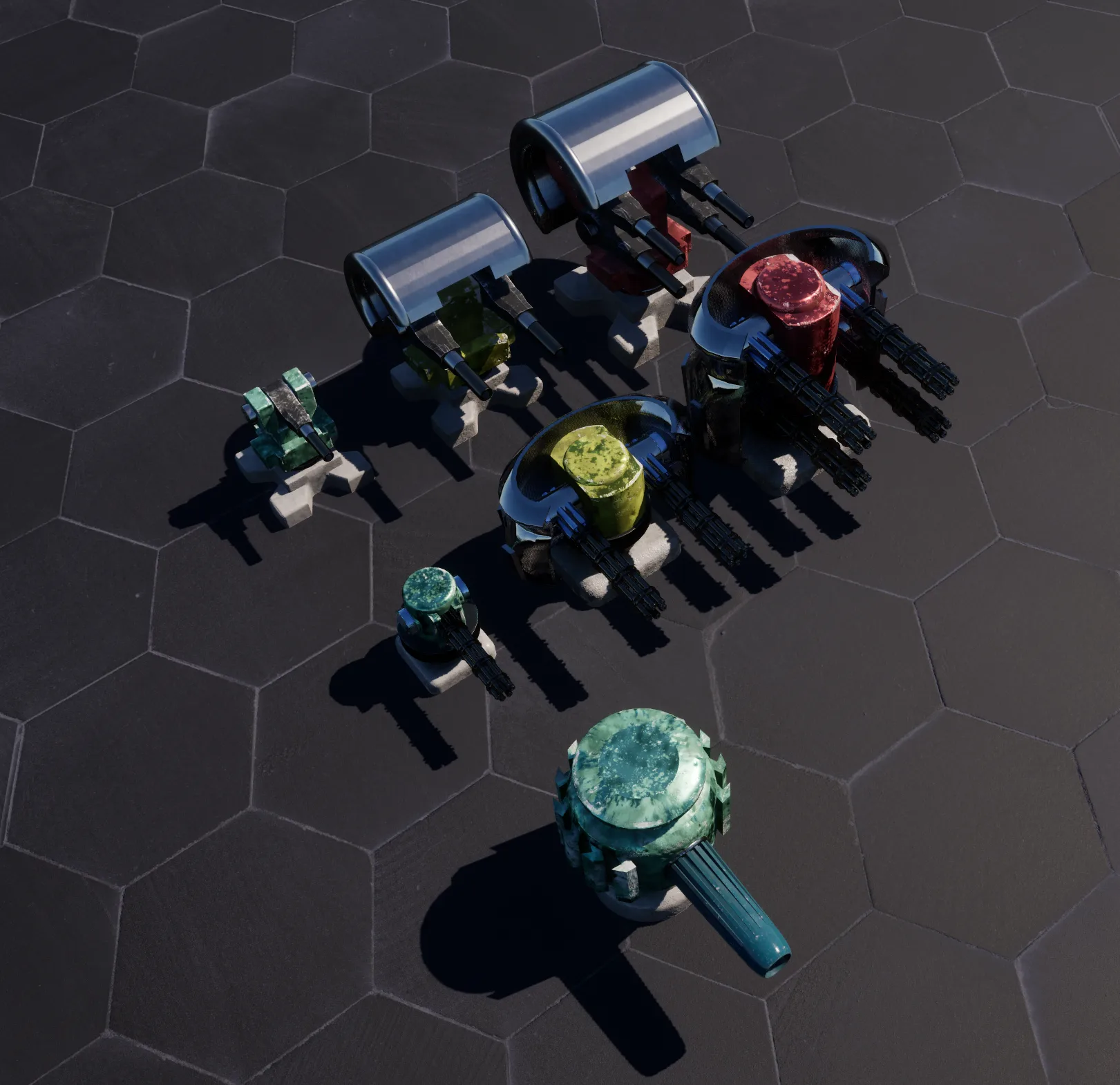
Painted by 7:40 and in Unreal Engine by 7:44, Freeze Level 1 takes its place in front of the two families: mottled green-teal, scuffed, with a single long barrel.
-
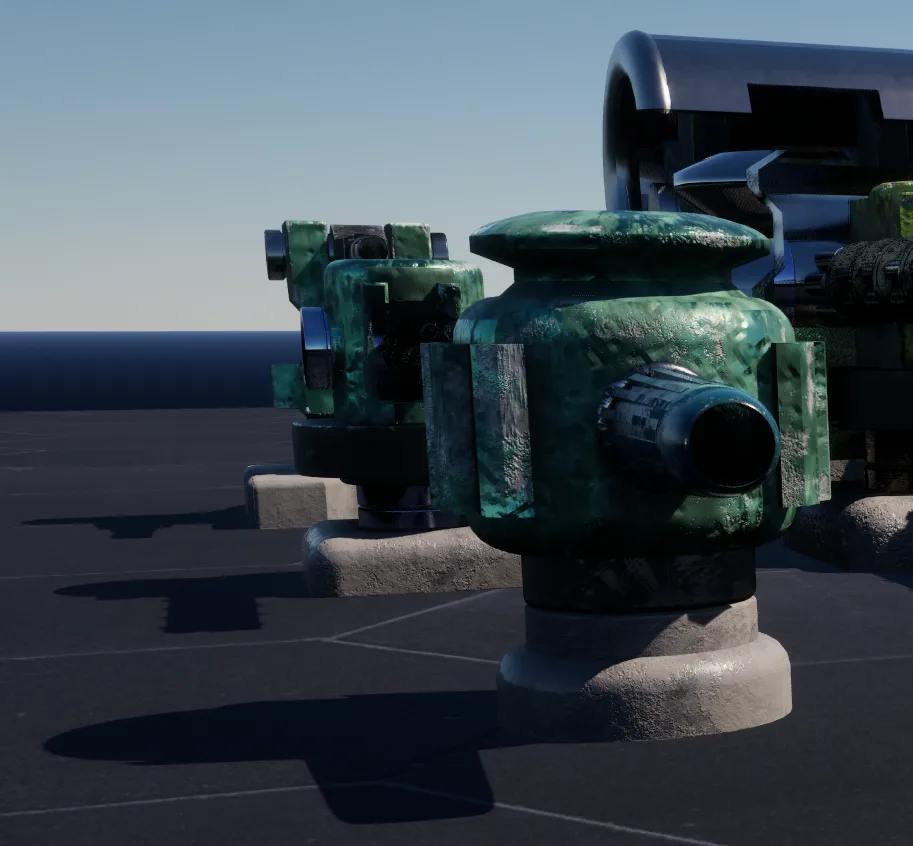
23
At robot height
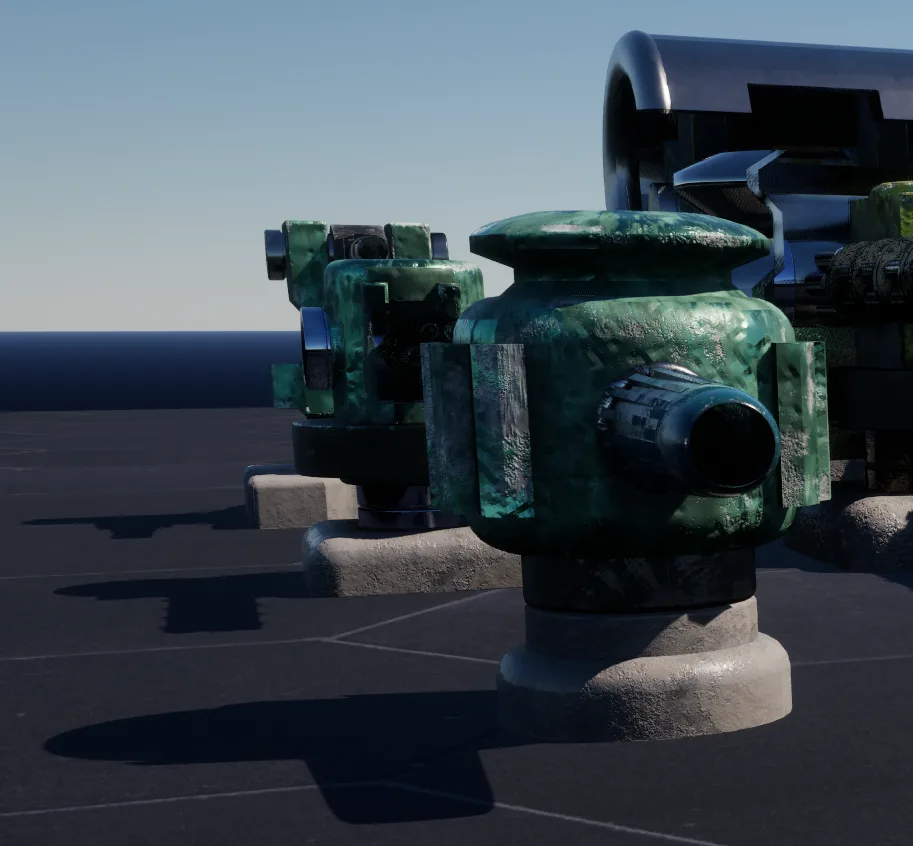
Down at ground level, the freeze tower against the sky, with the cannons behind it.
Seven tower levels in the engine. Eleven to go.
Two families and a freeze.
Next: Freeze Tower Levels 2 and 3, then rockets, fire and laser. And the towers still have to learn to aim and fire.